How Much Does a Squarespace Website Cost in the UK?
If you’re considering Squarespace for your business, one of your first questions is probably:
How much is it actually going to cost?
Fair question.
Website pricing can sometimes feel unnecessarily mysterious. You ask for a figure and receive the ever-helpful answer: “It depends.”
The honest answer is that a Squarespace website has two main costs:
The cost of keeping the website online
The cost of creating it
Here’s what you may need to budget for.
1. Your Squarespace Subscription
Every Squarespace website needs an active website plan.
At the time of writing, Squarespace offers Basic, Core, Plus and Advanced plans, with monthly and annual billing available. Paying annually lowers the average monthly cost and includes an eligible custom domain free for the first year.
The right plan depends on what your website needs.
A smaller service business may only need a straightforward website with:
A homepage
Services
Reviews
Contact details
A blog or resources section
A business selling products, memberships or digital content may need a higher plan with more selling features and lower transaction fees.
Don’t automatically choose the most expensive option.
Paying for 47 features you’ll never use is unlikely to improve your website—or your mood.
2. Your Domain Name
Your domain is the address people use to find your website, such as: yourbusiness.co.uk
Eligible annual Squarespace plans include one custom domain free for the first year. After that, the domain renews separately, and the cost depends on the domain ending you choose.
You can also connect a domain you already own.
When planning your budget, remember that your website subscription and domain are ongoing costs rather than one-off purchases.
3. Business Email and Other Extras
A professional email address such as: hello@yourbusiness.co.uk
is usually provided through a separate service such as Google Workspace.
Tools including Squarespace Scheduling, Email Campaigns and Google Workspace require their own subscriptions rather than being included automatically with every website plan.
You may not need any of these straight away.
Start with what your business genuinely needs. You can always add more later.
Your website does not need every available tool attached to it like an online Swiss Army knife.
4. Building the Website Yourself
The cheapest option financially is usually to build the website yourself.
Squarespace provides templates and a visual editor, so you don’t need to know how to code.
A DIY website could suit you if:
Your budget is limited
You enjoy design
You have time to learn the platform
Your website is fairly simple
Your wording and images are already prepared
The main cost is your time.
What begins as “I’ll get this done on Sunday afternoon” can quickly become six evenings spent moving the same button three pixels to the left.
Building it yourself can still be a sensible choice. Just consider whether your time would be better spent working with customers and running your business.
5. Hiring a Squarespace Web Designer
Hiring a designer costs more upfront, but it can save you time and give the website a clearer structure from the beginning.
A designer can help with:
Planning the pages
Organising your content
Creating a consistent visual style
Making the website easy to use
Improving the mobile layout
Setting up basic SEO details
Guiding you through the launch
You’re not only paying someone to place text and images onto a page.
You’re paying for help turning your business into something visitors can quickly understand and trust.
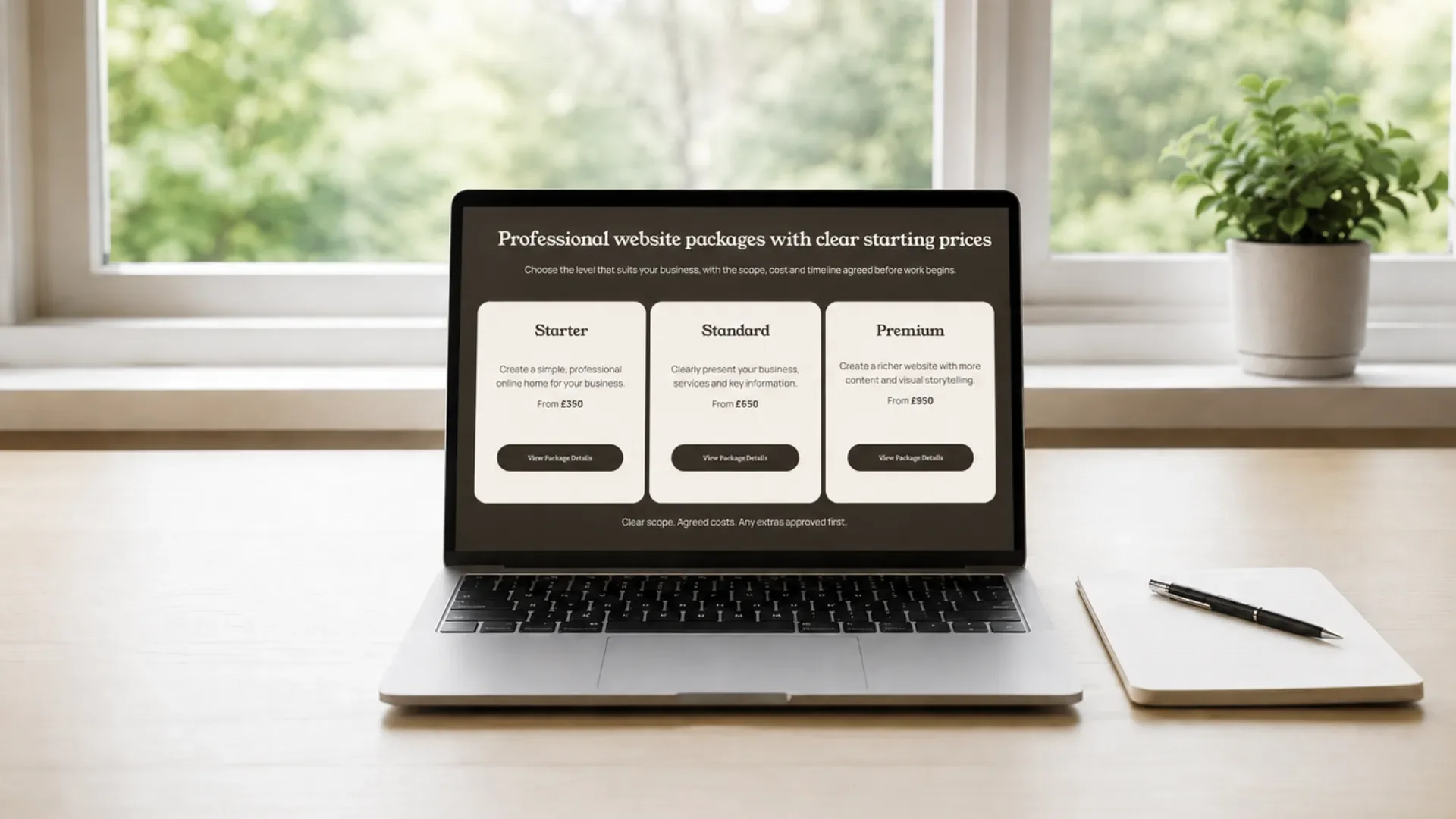
At Roamwild Studio, website packages currently start from:
£350 for a Starter website
£650 for a Standard website
£950 for a Premium website
Your Squarespace subscription remains separate because it belongs directly to you and keeps your website online after launch.
6. One-Page or Multi-Page Website?
The size of your website will affect the design cost.
A one-page website
This may be enough if you:
Offer a small number of services
Are newly established
Need a simple professional presence
Want all key information in one place
A clear one-page website can include your introduction, services, reviews, frequently asked questions and contact details.
Simple doesn’t mean ineffective.
A multi-page website
A larger website may work better if you:
Offer several services
Need more space to explain your business
Want separate portfolio or gallery pages
Plan to publish articles
Serve different audiences or locations
The right choice is not the website with the most pages.
It is the website that gives your customers enough information to feel confident taking the next step.
7. Other Costs to Consider
Depending on your project, you may also need to budget for:
Logo or brand design
Professional photography
Copywriting
Additional pages
Booking-system setup
Online-shop setup
Email marketing
Custom features
Ongoing website support
Ask what is included before agreeing to a website package.
A clear quote should explain:
What will be created
How many pages are included
How many revisions you receive
Whether mobile optimisation is included
Who supplies the words and images
What happens after launch
Clear expectations prevent unexpected costs appearing later like an unwelcome guest who somehow knows the Wi-Fi password.
8. What Should You Budget?
Your total cost will depend on whether you build the website yourself or work with a designer.
At minimum, you’ll need to account for:
Your Squarespace website subscription
Your domain after any free first-year offer ends
Any optional email, booking or selling tools
The design cost, if you hire someone
Avoid choosing purely on price.
The cheapest website is not good value if visitors cannot understand what you offer or work out how to contact you.
Equally, you don’t need an enormous agency-built website if a clear, well-designed smaller site would do the job perfectly well.
9. Which Option Is Right for You?
Building the website yourself might make sense if you have more time than budget and enjoy learning new tools.
Hiring a designer may make more sense if:
You want to launch sooner
You feel unsure about the structure
You want a more polished result
You would rather focus on your business
The thought of choosing font sizes fills you with unexpected dread
There is no single correct option.
Choose the route that suits your budget, your time and the stage your business is currently at.
Still deciding whether the platform itself is right for you? Read Is Squarespace Good for Small Businesses?
Final Thoughts
A Squarespace website has both ongoing platform costs and, if you hire a designer, an initial design cost.
The right budget depends on what your business actually needs.
You don’t need the largest website or the most expensive plan.
You need a clear, professional website that:
Reflects the quality of your work
Builds trust
Answers your customers’ questions
Makes getting in touch simple
That is what turns a website from another business expense into something that genuinely supports your growth.
Need a Hand With Your Website?
Building a website can feel overwhelming, especially when you’re busy running your business.
If you’d rather have someone take care of it for you, I’d love to help. At Roamwild Studio, I design thoughtful Squarespace websites that are easy to use and built around your business.
Every website also helps give something back, with 10% of each project donated to animal and wildlife charities.